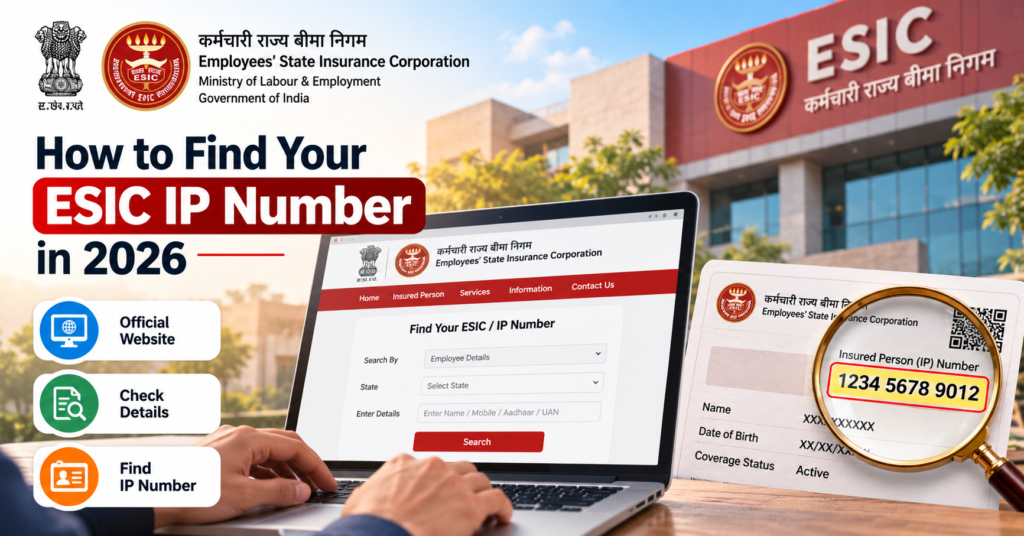
If you have forgotten your ESIC Insurance Number, also called the IP Number, the first step is to recover the number already linked to your ESI registration.
Start by checking your e-Pehchan Card, previous ESIC documents, payslips, or your employer’s employee portal. If you still cannot find it, contact the HR or payroll team that handled your ESI registration.
The goal is to find your existing IP Number, not create a new ESIC registration simply because you changed jobs, lost your card, or no longer remember the number.
The best recovery method depends on what you still have available, such as an old document, access to a current or previous employer, or enough employment details to request official assistance.
On this page6 sections · jump to what you need
What Is the ESIC Insurance Number?
The ESIC Insurance Number, also called the IP Number, is the unique number linked to your insured-person record under the Employees’ State Insurance Scheme. Here, IP means Insured Person.
For employee access, ESIC uses a 10-digit IP Number. This is different from your employer’s ESIC establishment code, company employee ID, or EPFO UAN.
Employees may also refer to it as an ESI number or ESIC card number. When asking HR or ESIC for help, request your ESIC Insurance Number / IP Number to avoid confusion with other workplace identifiers.
| Number or Document | What It Represents |
|---|---|
| ESIC Insurance Number / IP Number | Your individual ESI insurance record |
| ESIC e-Pehchan Card | Identification document linked to your ESIC record |
| ESIC employer code | Your employer’s registered establishment |
| Company employee ID | Internal identifier assigned by your employer |
| EPFO UAN | Separate identifier used for EPFO services |
A payslip or employment record may contain more than one of these numbers, so always check the field label before using it.
Does the ESIC Insurance Number Change When You Change Jobs?
No. Your ESIC Insurance Number remains linked to you even when you change employers.
If you were already registered under ESI in a previous job, the new employer should use your existing IP Number rather than creating another insured-person identity.
This continuity applies to your ESIC identification number. It does not automatically mean that every benefit remains available regardless of your current employment or contribution status.
Where to Find Your ESIC Insurance Number
Start with the easiest source available to you.
| What You Have | Where to Check |
|---|---|
| Printed e-Pehchan Card | Look for the Insurance Number printed on the card |
| Saved ESIC PDF or registration document | Check the field labelled Insurance Number / IP Number |
| Company HR portal | Look under payroll, statutory or personal details |
| Current or old payslips | Check for ESI Number, ESIC Number or Insurance Number |
| Access to HR or payroll | Ask them to confirm your existing IP Number |
| Previous ESI-covered employment | Check old records or contact the previous employer |
| No documents available | Seek assistance from the appropriate ESIC office |
Check Your Old e-Pehchan Card
If you have an old e-Pehchan Card, this is one of the quickest ways to find your ESIC Insurance Number.
Step 1: Find a printed or digital copy.
Check old files, email attachments, Downloads folders, previous phones, or employment documents.
Step 2: Look for the Insurance Number.
Use the number shown against the Insurance Number / IP Number field.
Step 3: Confirm that the card belongs to you.
Check the name and other personal details before copying the number.
Step 4: Do not guess unclear digits.
If the card is blurred or damaged, request a clearer record from HR rather than entering an uncertain number.
Search Your Phone, Email and Employment Records
If you do not have the card immediately available, search your phone, email and saved employment documents for terms such as:
- ESIC
- ESI
- e-Pehchan
- Pehchan
- Insurance Number
- ESIC registration
Check attachments as well as message text. An employer may have sent the e-Pehchan Card or registration document as a PDF without mentioning the number in the email itself.
Old joining documents, payroll records and exit documents from a previous employer may also contain the number.
Check Your Payslip or HR Portal
Some employers display the ESI Number / ESIC Number on salary slips or in the employee self-service portal.
Look under sections such as:
- personal details
- payroll information
- statutory details
- ESI / ESIC information
If your payslip shows only an ESI contribution deduction, do not mistake the deduction amount for your Insurance Number.
If no IP Number is shown, ask payroll or HR to confirm the ESIC Insurance Number linked to your registration.
How to Ask HR or Payroll for Your ESIC Number
Your HR or payroll team is usually the most practical place to recover an existing ESIC Insurance Number because the employer handles ESI registration and employment records.
Step 1: Contact the team that handles ESI records.
Depending on the organisation, this may be HR, payroll, accounts, or the contractor responsible for your employment.
Step 2: Ask for your existing IP Number.
Make it clear that you have already been registered under ESI and need to recover the same number. Losing your card or forgetting the number does not mean you need a fresh ESIC registration.
Step 3: Provide enough employment details to identify your record.
Use an official company channel and share details such as your employee ID, joining date, department, and relevant employment period.
Step 4: Ask for supporting proof.
Request your ESIC Insurance Number / IP Number and, if available, a copy of your e-Pehchan Card or registration record.
Step 5: Verify the details before using the number.
Check that the name and other information belong to you before using the IP Number for portal login or sharing it with a new employer.
A simple request can be:
Please confirm my existing ESIC Insurance Number / IP Number and share the associated e-Pehchan Card or registration record. I have already been registered under ESI, so please check the existing record before processing any fresh registration.
If you already have an ESIC Insurance Number, the employer should use that existing number rather than treating you as a first-time insured person.
If You Work Through a Contractor
If you work at one company but your salary and statutory records are handled by a contractor, the contractor may be the employer responsible for your ESI registration.
Check who issues your:
- payslip
- appointment or employment documents
- payroll records
If you are unsure who manages your ESIC record, ask the workplace HR team to identify the correct payroll or contractor contact.
Can You Find Your ESIC Number Online?
Online services can help only when you are already able to access your insured-person record. They are less useful when the service asks for the IP Number before login.
Through an Account You Can Already Access
If you already have access to an official ESIC account or an authenticated session, check your insured-person details or e-Pehchan Card for the Insurance Number.
If the login page itself asks for the forgotten IP Number, it cannot help you discover that number. In that case, use your saved documents or contact HR first.
After recovering the number, use the ESIC Insured Person Login guide for portal and Health Connect login instructions.
Through UMANG
The official UMANG platform supports ESIC services, including access to profile information and e-Pehchan Card services.
If you can complete the required authentication and reach your ESIC record, you may be able to open a document that shows your Insurance Number.
However, UMANG is not a guaranteed way to recover a forgotten IP Number. If the selected ESIC service asks for the IP Number first, you will still need to recover it through your documents, employer, or authorised ESIC assistance.
Can You Find the ESIC Number by Mobile Number?
Do not rely on a mobile number as a guaranteed way to search for your ESIC Insurance Number.
A registered mobile number may be used for OTP verification, but the documented ESIC Health Connect login process begins with the IP Number and then requests an OTP.
If you no longer have access to the mobile number linked with your record, mention this when asking HR or ESIC for help. Recovering the IP Number and updating the registered mobile number may require separate steps.
Can You Search for an ESIC Number by Aadhaar or Name?
Do not assume that websites offering “ESIC number search by Aadhaar” or “ESIC number search by name” are authorised ESIC services.
Your identity details may be used by an employer or ESIC office to verify your record, but that is different from a public search facility.
Use only official recovery or verification channels, and do not upload Aadhaar or other sensitive identity documents to an unrelated website promising instant ESIC number recovery.
What to Do After Finding Your IP Number
Once you recover your ESIC Insurance Number / IP Number, save a clear copy of the document that shows it and verify that the name and other personal details are correct.
If you change jobs, provide the same existing IP Number to your new employer through the official onboarding process so your ESIC record can continue under the same insurance identity.
For online access, follow the ESIC employee login instructions. If you can already access your account and only need the card PDF, use the ESIC Card Download guide.
Keep your ESIC details private. You do not need to share your full Insurance Number, password, OTP, or identity documents with an informational website to get general guidance.
Frequently Asked Questions
Is the ESIC number the same as the IP Number?
Yes. IP Number is another name for the insured person’s ESIC Insurance Number.
Where can I find the Insurance Number on an ESIC card?
Check the field labelled Insurance Number or IP Number on the e-Pehchan Card. Make sure you are not copying the employer code or another reference number.
Can I find my ESIC number on a payslip?
Sometimes. Some employers print the ESI or ESIC number on salary slips, while others show only the contribution amount. If there is no clearly labelled Insurance Number, ask payroll to confirm it.
Can I recover my ESIC number without knowing the portal password?
Yes. You can recover it from an existing e-Pehchan Card, registration document, payslip, HR portal, or authorised employer record without using the employee-portal password.
Does losing my ESIC card mean I need a new Insurance Number?
No. Recover your existing IP Number and obtain another copy of the card through the appropriate ESIC service.
Does the ESIC Insurance Number change when I change jobs or move to another city?
No. The same Insurance Number continues with the insured person across employment and location changes.